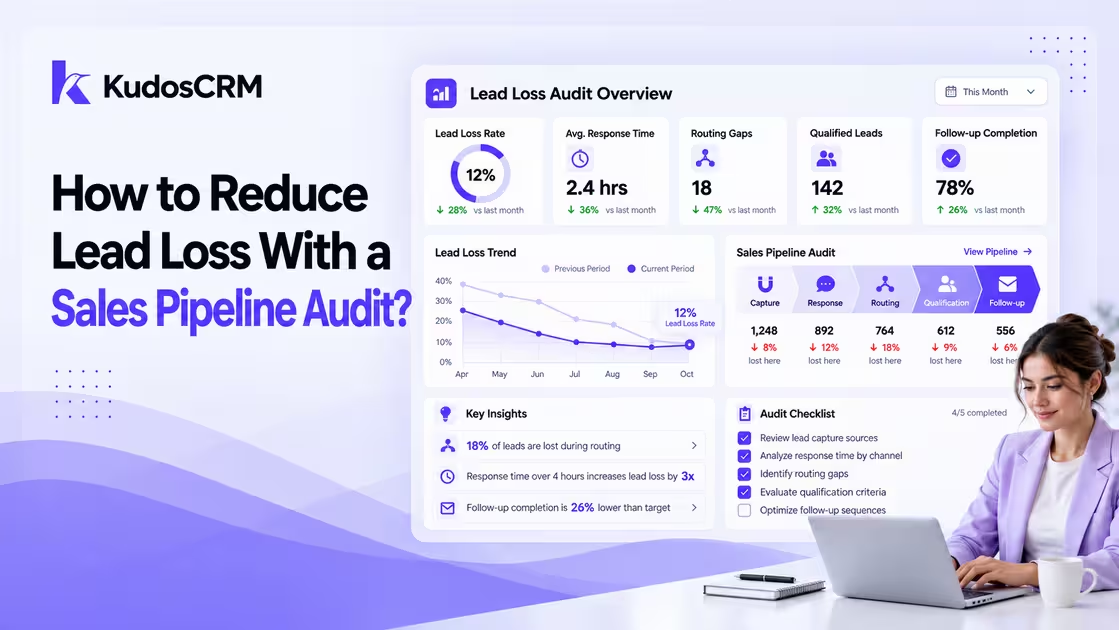

Imagine generating hundreds of inbound leads every month but still losing valuable opportunities before they become customers. Before blaming your product, pricing, or market conditions, look at what happens between the first inquiry and the final sales conversation. Many businesses experience lead loss not because prospects reject their offer, but because of slow responses, unclear ownership, poor qualification, inconsistent follow-ups, or inaccurate CRM data.
A sales pipeline audit helps uncover where leads are falling through the cracks and why they stop moving forward. By reviewing each stage of the buyer journey, businesses can identify the causes behind losing leads, improve their lead management process, and create a more reliable system for converting opportunities.
In this guide, we will examine the six key areas where companies experience lost leads: lead capture, lead response time, routing, qualification, follow-up, and CRM data quality. You will learn how to audit each stage, find pipeline leaks, and build a stronger process to reduce lead loss.
What lead loss is actually costing your team
Put a dollar figure on the problem before you touch a single workflow, because that number decides which leak you fix first.
Example calculation: Consider a team generating 200 inbound leads a month at a $5,000 average contract value, running at 60% total pipeline loss:
200 leads enter the pipeline.
60% leak before a real sales conversation, so 120 are gone and 80 remain.
At a 20% close rate on those 80, the team wins 16 deals, or $80,000 in booked revenue that month.
Cut the loss by ten points, from 60% to 50%: 20 more leads survive, four more deals close, and that is $20,000 a month, or $240,000 a year.
Substitute your own volume, ACV, and close rate. The recoverable figure will move, but the lesson holds: shaving ten points off pipeline loss beats buying more leads to pour into the same leaks.
How to calculate your stage-by-stage loss rate
An overall funnel number hides the leak you need to find. Measure each stage separately with one formula: (leads that did not progress to the next stage / leads entering that stage) x 100.
Run one report per stage boundary. Say 240 opportunities enter your proposal stage and 91 advance; 149 stall, a 62% stage loss rate. One caveat skews every calculation if you miss it: exclude still-open deals from both the numerator and the denominator, or an unresolved cohort will flatter your numbers.
To pull the inputs per stage, use these CRM extractions:
Capture: count total form submissions and chat inquiries logged in your marketing platform, then count CRM leads created in the same window. The gap is your capture loss.
Response: filter leads created in the last 90 days; sort by the timestamp of first owner activity. Count leads with no activity in the first 24 hours as response leaks.
Routing: filter for leads with no owner or leads assigned to inactive users. Every record in either bucket is a routing loss.
Qualification: count leads that entered a scoring or MQL stage but never advanced to SQL or opportunity. Divide by total MQL entries.
Follow-up: count closed-lost records; read the last-activity field. Count records where final touch was touch one or two as follow-up losses.
CRM data quality: run a duplicate-match report on email and domain. Count matched pairs plus records missing owner, source, or stage as data losses.
What an acceptable loss rate looks like at each stage
There is no zero. Some drop-off at every stage is healthy, because qualification is supposed to remove bad-fit leads. There is no universal acceptable lead loss rate. Conversion rates depend on factors such as industry, sales cycle length, lead source, and buying process. Instead of comparing against a fixed benchmark, analyze your own historical pipeline data and identify stages where conversion drops significantly compared with previous periods.
Step 1: Audit your lead capture layer
A lead that never reaches your CRM cannot be worked, scored, or followed up. Gone before the system sees it, it never appears in any loss report. Start here, because capture failures are the only leak invisible to every downstream metric.
Lead sources your CRM never sees
Map every channel that produces an inquiry against what actually lands in your CRM. Web forms, chat, phone, event lists, partner referrals, and paid social lead ads each sync differently, and any one of them can silently drop records when a field mapping breaks or an integration token expires. Audit source attribution on your forms so every inquiry carries where it came from, then reconcile the count each channel reports with the count your CRM received. A 15% gap between the two is a capture leak, not a slow month.
A CRM with connected lead capture and source tracking helps ensure every inquiry enters the pipeline with the right context, including where it originated. Kudos CRM helps businesses capture leads from different sources while maintaining visibility throughout the sales process.
The first-touch confirmation that stops inquiries going cold
One commonly missed capture issue is a form submission that works technically but does not trigger an immediate response. A form that submits successfully but fires no immediate reply. The buyer fills it out, sees a thank-you page, and hears nothing while your rep is in a meeting. By the time someone reaches out, they have filled in two competitor forms as well. Set an automated confirmation to fire within 60 seconds of submission, acknowledging the inquiry and setting an expectation for the human follow-up. Kudos CRM's automation workflows handle this trigger at the form level, before a rep is even assigned.
Step 2: Measure and shorten lead response time
Research on lead response time has consistently shown that faster responses improve qualification opportunities, especially shortly after an inquiry is submitted. Response time is Step 2 of six, not the whole story, but it is the leak with the steepest curve.
How to find your real average first response time
Do not trust your gut, measure it. Pull the timestamp gap between lead creation and first genuine outbound touch (a call or a personal email, not the auto-confirmation) across the last 90 days, then read the median rather than the mean. A handful of same-minute responses will drag an average down and hide a long tail of leads that waited hours. For benchmark depth and compression tactics, see our companion guide, Lead Response Time: Measure, Benchmark, and Shorten It.
An automated first touch while a rep takes over
You cannot staff a human on every lead within five minutes, and you do not need to. Trigger an automated first touch the instant a qualifying lead arrives: a templated but personalized email that opens a scheduling link, buying your rep time to follow up properly. The gotcha is relevance. A generic auto-reply on a high-intent demo request reads as a brush-off, so segment the trigger by form and source so the message matches what the buyer actually asked for.
Step 3: Fix Lead Routing Problems and Ownership Gaps
A perfectly captured, instantly acknowledged lead still dies if it lands in the wrong queue. Routing failures are quiet: the lead exists, it has an owner on paper, and nobody is working it.
Finding misrouted and unrouted leads in your CRM
Run two queries this week. First, filter for leads with no owner assigned, your unrouted pile, which should sit near zero. Second, filter for leads assigned to inactive users, reps who left, or territories nobody covers; those are misrouted and functionally abandoned. Both buckets are pure recoverable lead loss. If either holds more than a handful of records, your routing rules have gaps.
Round-robin or territory assignment for your team size
For most SMB teams under 20 reps, round-robin distribution keeps response fast and load even, and it is the simplest rule to maintain. Territory or account-based assignment earns its complexity only once reps carry specialized knowledge (verticals, regions, product lines) that a random draw would waste. Pick the simpler rule until specialization forces the switch. For the assignment mechanics, see Lead Routing: How to Assign Leads Automatically.
Step 4: Recalibrate lead scoring to your real close rates
When did you last check that your lead score predicts anything? A good lead scoring model uses both customer fit and engagement signals to help sales teams prioritize valuable opportunities.
The score threshold that lets high-intent leads go cold
Every model has a handoff threshold: score above X, a rep works it; below, it sits in nurture. Set that line too high and genuinely high-intent buyers wait in an automated drip while their urgency cools. The symptom is a nurture pool that produces occasional surprise closes, a sign real buyers are trapped below your cutoff.
Backtesting your model on 90 days of closed deals
Here is the diagnostic step that generic "recalibrate your scoring" advice skips. Pull every closed-won and closed-lost deal from the last 90 days and map each one's score at the moment it entered the pipeline against its final outcome. Plot win rate by score band. You are looking for the band where win rate drops sharply; that break point, not a round number someone picked in 2022, is where your handoff threshold belongs. If wins are scattered evenly across every band, your model is not measuring intent at all, and it needs rebuilding before recalibrating.
Step 5: Extend follow-up sequences past the drop-off point
Follow-up is where the largest recoverable lead loss usually hides. Studies on sales outreach consistently show that multiple follow-up attempts improve the chance of reaching prospects, yet many teams stop outreach too early. Meanwhile, industry data consistently shows that roughly 44% of reps give up after a single follow-up. The gap between when your team quits and when deals actually close is money left on the table.
Finding the touchpoint where your team stops following up
Do not guess where reps give up; find it. Filter your CRM to closed-lost records, then read the last-activity field on each: what was the final touch, and what sequence position was it? Count them, and the modal answer is your drop-off point. If most closed-lost deals stall at touch two or three, that is your intervention point, precise enough to fix this week.
How many attempts before a lead is genuinely dead
Belkins' 2025 analysis of 7.5 million emails found follow-ups account for 58.6% of all replies, and steps three through five alone drive 53.5% of booked meetings. The touches most teams skip are the ones that convert. Extend your sequences to at least five to seven attempts across email and phone before marking a lead dead, and change the channel and message each time. Kudos CRM's email sequences automate the cadence, so a missed touch becomes a rule failure you can see rather than a rep who forgot.
Step 6: Fix the CRM data problems that hide lost leads
Poor CRM data quality can hide potential opportunities by creating duplicate records, missing ownership details, and inaccurate pipeline reporting. A duplicate record splits one buyer's history across two entries, so the rep sees a cold contact with no notes and treats a live opportunity as a dead end.
Duplicate records and missing fields that hide leads
Two problems do most of the damage. Duplicates fragment a lead's activity so no one sees the full picture, and empty required fields (no source, no owner, no stage) drop leads out of the reports and views your team actually works from. A lead with no stage is invisible to your pipeline board, and invisible leads never get followed up. Enforce required fields at creation and set duplicate detection on email and company domain. Kudos CRM's deduplication tools match on both signals automatically.
A monthly deduplication cadence under an hour
Make this routine, not a heroic annual cleanup. Once a month, run a dedup pass: merge duplicates on matched email or domain, fill missing owners and stages, and reassign any orphaned records surfaced back in Step 3. For an SMB pipeline, this takes under an hour with deduplication tools doing the matching. A monthly rhythm stops the rot that a yearly purge lets accumulate.
How CRM Software Helps Prevent Lead Loss
A pipeline audit helps identify where leads are disappearing, but preventing those leaks requires consistent processes. CRM software helps sales teams capture every inquiry, assign ownership, automate follow-ups, and maintain accurate pipeline visibility.
Capture leads automatically
Assign leads to the right sales owner
Track follow-up activity
Score and prioritize opportunities
Monitor pipeline performance
Maintain clean CRM records
Your six-point lead loss audit checklist
Run these six checks in order, because each stage feeds the next and a leak upstream distorts every measurement below it.
1. Capture: reconcile channel-reported inquiries against CRM records; confirm a sub-60-second auto-reply fires on every form.
2. Response: measure median first-response time; automate the first touch.
3. Routing: clear the unrouted and misrouted queues; match the assignment rule to team size.
4. Qualification: backtest your score threshold on 90 days of closed deals.
5. Follow-up: find the modal drop-off touch; extend sequences past it.
6. CRM data: dedupe monthly and enforce required fields.
Confirming your lead loss rate is falling
An audit you run once is a snapshot. The point is to watch lead loss trend down, which means tracking a few numbers on a fixed cadence rather than reacting to whichever fire is loudest.
Four pipeline metrics to pull every month
Track four numbers month over month: stage-by-stage loss rate at each of the six stages, median first-response time, average touches before close, and the count of unrouted or unowned records. Read together, they tell you not just that leads are leaking but which stage is leaking worse than last month. That is the only view that turns loss data into a fix.
Running a quarterly win-loss review
Once a quarter, read your closed-lost deals as evidence, not as a graveyard. Pull a sample and categorize why each died: bad fit, no decision, lost to a competitor, or a process leak you can name. A 2022 GetAccept analysis found 40 to 60% of B2B deals lost to no decision rather than to a competitor, which means much of what looks like a losing battle is really a follow-up and nurture problem you already know how to fix. That review closes the loop, feeding next quarter's audit priorities.