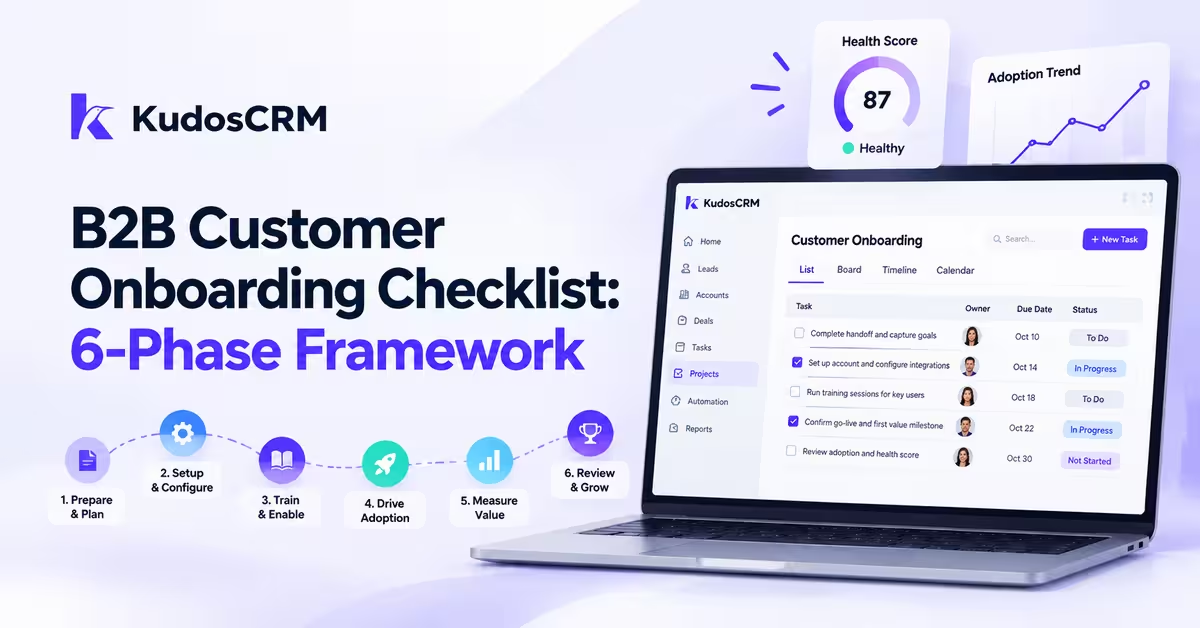

A B2B customer onboarding checklist should work like a project plan, not a static spreadsheet that gets ignored after the first handoff. It gives customer success teams a clear process to manage tasks, assign ownership, track milestones, and guide customers toward their first value milestone.
This guide breaks customer onboarding into six phases with practical CRM actions, including task ownership, workflow triggers, progress tracking, and customer health monitoring. The goal is simple: turn a one-time onboarding process into a repeatable system that works across every account.
What Is a Customer Onboarding Checklist?
A customer onboarding checklist is a structured process that helps businesses move new customers from purchase to successful product adoption. It outlines the tasks, owners, milestones, communication steps, and success criteria needed to deliver a consistent onboarding experience.
For B2B SaaS teams, a customer onboarding checklist helps customer success managers coordinate setup, training, adoption activities, and follow-ups while keeping every stakeholder aligned.
What a B2B Customer Onboarding Checklist Should Include?
Why the first 90 days decide retention more than any renewal call
The first 90 days are critical because customers form their initial impression of the product, support experience, and overall value during this period. A structured onboarding process helps teams identify adoption blockers early, guide customers toward their first success milestone, and create a consistent experience across every account.
Customer Onboarding Checklist Template: 6-Phase B2B Framework
A practical customer onboarding checklist should define each phase, assign ownership, set timelines, and connect every activity to a measurable CRM action. This six-phase framework helps B2B SaaS teams move customers from signed contracts to successful adoption.
Phase | Timeline | Owner | Checklist Tasks | CRM Action |
|---|---|---|---|---|
Pre-kickoff prep | Days -7 to 0 | Sales + CSM | Complete handoff, capture goals, confirm stakeholders | Create onboarding project |
Kickoff week | Days 1 to 5 | CSM + Customer Champion | Align goals, define milestones, confirm success criteria | Create milestones |
Technical setup | Days 5 to 21 | Technical Team + Customer | Configure account, migrate data, test integrations | Assign setup tasks |
Training and enablement | Days 14 to 30 | CSM | Train users, share resources, track adoption | Schedule follow-ups |
Go-live sign-off | Days 21 to 30 | CSM + Customer | Confirm readiness and first value milestone | Approval workflow |
30/60/90-day check-ins | Days 30 to 90 | CSM + Account Manager | Review adoption, health score, expansion opportunities | Automated reminders |
What You Need Before Starting the Customer Onboarding Process
The sales-to-CS handoff brief and its load-bearing fields
The single most common reason a customer onboarding checklist collapses is a thin sales-to-CS handoff. If the account arrives without context, the CSM spends kickoff re-interviewing a customer who already answered these questions during the sales cycle. A handoff brief with blank fields is like a relay runner reaching back for a baton that was never passed. Require these fields before the deal is released:
Primary use case. The one outcome the customer bought the product to achieve, in their words.
Champion and economic buyer names. Who drives adoption day to day, and who signs the renewal.
Existing tech stack and integration requirements. Every system that must connect, flagged before technical setup starts.
Negotiated custom terms. Discounts, custom SLAs, or promised features that change what "delivered" means.
Known objections and risk flags. The doubts sales overcame, because they resurface at the first friction point.
Each field feeds a later phase. Skip the integration list and Phase 3 stalls; skip the risk flags and Phase 6 escalations arrive too late.
Success criteria agreed before day one
Define what day-30 success looks like before kickoff, not during it. The customer should sign off on the specific, measurable outcome that proves the product worked, and that definition becomes the milestone every later phase points toward. When success is discovered mid-onboarding instead of agreed up front, both sides negotiate the goalposts under pressure and the account drifts.
Phase 1: Pre-Kickoff Prep (Days -7 to 0)
The account is signed on Friday. If Monday's kickoff is the first time anyone on the CS side opens the record, you have already lost a week. Pre-kickoff prep runs from roughly seven days out to day zero, and it is entirely internal work that sets up everything the customer will see later.
What sales must document before releasing the account
Sales does not get to close the deal and walk away. Before the account is released, the rep completes the handoff brief covering the five fields above and books the kickoff. Treat an incomplete brief as a blocker: the project does not advance until the fields are filled.
Provisioning access and configuring the CRM record
This is where the checklist becomes a CRM object. Create the account's onboarding project from a template so every task, owner, and due date populates automatically. Provision the customer's environment, set user roles, and configure the record with the champion, economic buyer, and renewal date pulled straight from the handoff brief. Turn on health-score tracking now, in week one, not after go-live.
Phase 2: Kickoff Week (Days 1 to 5)
Mapping stakeholders and confirming the champion
Kickoff week is stakeholder work, not a demo. Map three roles explicitly: the champion who drives daily adoption, the economic buyer who owns the renewal, and the end users whose behavior you will actually measure. Give each one a success metric. A champion who goes quiet in month two is your earliest churn signal, so confirm they have both the time and the mandate before you build the plan around them.
Setting the timeline, milestones, and first value target
Agree the first value target here, in writing, before any configuration starts. Both sides should know what day-30 success looks like and which milestone proves it. Put those dates on the project and let the CRM own the countdown, so the timeline is a shared artifact rather than a promise made on a call and forgotten.
Phase 3: Technical Setup, Integrations, and Onboarding Workflow (Days 5 to 21)
Data migration, configuration, and sign-off criteria
Phase 3 is where momentum dies most often. Data migration, environment configuration, and integrations all depend on the customer delivering files, credentials, and sandbox access on time. Write explicit sign-off criteria for each item: migration is done when record counts reconcile and a sample audit passes, not when the import finishes. If setup stalls beyond five business days with no documented blocker, that is an escalation, covered below.
Integration testing and user provisioning
List every integration from the handoff brief and test each one inside a real workflow, not a connection check that only confirms the pipe is open. Provision users in role batches so training can begin the moment their access goes live, rather than waiting for a single big-bang activation that slips the whole schedule.
Phase 4: Training and Enablement (Days 14 to 30)
Role-segmented tracks for admins and end users
One training session for everyone teaches no one. Split enablement into an admin track covering configuration, permissions, and reporting, and an end-user track built around the two or three daily actions that create value. Segmenting by role keeps each audience learning only what they need, which is the difference between actual adoption and a polite nod on a webinar.
Documentation handoff and self-serve knowledge base
Hand over documentation the customer's team can use without you in the room. Point admins to a knowledge base, stand up their internal help resources, and build for the day the CSM steps back. In-app plus email hybrid onboarding beats email-only Day-30 retention by 27 percentage points in Visionary Marketing's 2025 data, with the strongest results coming from seven email touches over 14 days. Schedule those touches as recurring tasks rather than trusting anyone to remember them.
Phase 5: Go-Live Sign-Off and First Value
The go-live readiness checklist
Go-live is a gate, not a date on the calendar. Before you flip the switch, confirm data is migrated and signed off, integrations pass live tests, admins are trained, and the first-value milestone is configured and ready to fire. Miss one of those and go-live turns into a rollback, which costs far more trust than a short delay would have.
Defining and confirming the first measurable outcome
First value has to mean something specific to the product, or "confirm value delivered" is just a box nobody can honestly tick. Define it by product type:
CRM software: first pipeline stage configured and first deal created.
Project management tool: first project launched with at least one completed task.
Support platform: first ticket resolved within the configured SLA.
Confirm the milestone in the CRM, not in your head, so the health score reflects a real event.
Phase 6: 30/60/90-Day Check-Ins and Handoff
Health-score thresholds that flag at-risk accounts
Score account health on a 0 to 100 scale from week one and track onboarding indicators such as milestone completion, product adoption, and time-to-value. Split it into three bands: 0 to 40 is critical and needs immediate CSM intervention; 41 to 70 warrants proactive outreach before a blocker becomes churn; 71 to 100 is stable with room to expand. Layer onboarding-window triggers on top of the score, each wired to an automated alert: no login within seven days of provisioning, a kickoff rescheduled more than once, or technical setup stalled past five business days with no documented blocker. Wire each signal to an automated CRM alert so the CSM hears about it the day it fires, not at the next scheduled check-in.
Moving ownership to the account manager
Run structured check-ins at 30, 60, and 90 days. Onboarding ends when the customer hits the agreed first-value milestone and health sits in the stable band, at which point ownership moves from the onboarding CSM to ongoing account management. Document the health score, open risks, and the next expansion opportunity in the record so the receiving manager starts informed rather than from zero.
Compressing the Checklist for SMB, Expanding It for Enterprise
Not every account runs all six phases at full weight. For SMB accounts under 10 seats, merge pre-kickoff and kickoff into a single week and run training and go-live concurrently; Rocketlane's benchmark puts SMB activation at two to four weeks. Enterprise accounts expand the checklist instead: add a security review, legal sign-off, multi-team training tracks, and an executive sponsor check-in at the 30-day mark. Gainsight's 2024 Customer Success Benchmark Report puts enterprise onboarding at 30 to 90 days from contract to go-live, and those extra phases are exactly why the range runs so wide.
Running the Customer Onboarding Checklist in Your CRM
The business case: what a faster checklist recovers
Start with the money, because it justifies the operational work to everyone above you. Take an account paying $2,000 per month. Every month it sits in onboarding without reaching first value is revenue at risk, since an account that never activates is the one most likely to churn before renewal. Compress onboarding from 90 days to 60 and you protect roughly one month of that $2,000, recovered per account. Across a 50-account cohort, that same 30-day reduction in time-to-value translates to $100,000 in protected ARR, and that figure assumes nothing changes except the speed of the checklist.
The return compounds beyond the saved month. Visionary Marketing's 2025 analysis found every $1 invested in onboarding improvement returned $5.20 in incremental Year-1 net retention, and CSM-led onboarding lifted Day-90 retention by 23 percentage points for accounts in the $50K to $100K ACV band. Their data also puts the self-serve-to-CSM crossover at roughly $11,000 ACV, a useful line for deciding which accounts earn the full hands-on checklist.
Turning phases into templates, tasks, and workflows
A checklist that lives in one CSM's head does not survive their vacation, let alone their resignation. Convert each of the six phases into a CRM project with pre-built tasks, assigned owners, and due dates keyed off the contract date. Automate the rest with workflow triggers: milestone reminders before each phase deadline, stalled-phase alerts when a task goes untouched past its threshold, and escalation routing that pings the CS lead when a health trigger fires. Give the customer their own view through a customer portal so status is shared, not chased. That is what turns a good customer onboarding checklist into a repeatable, auditable system rather than a document everyone means to update.