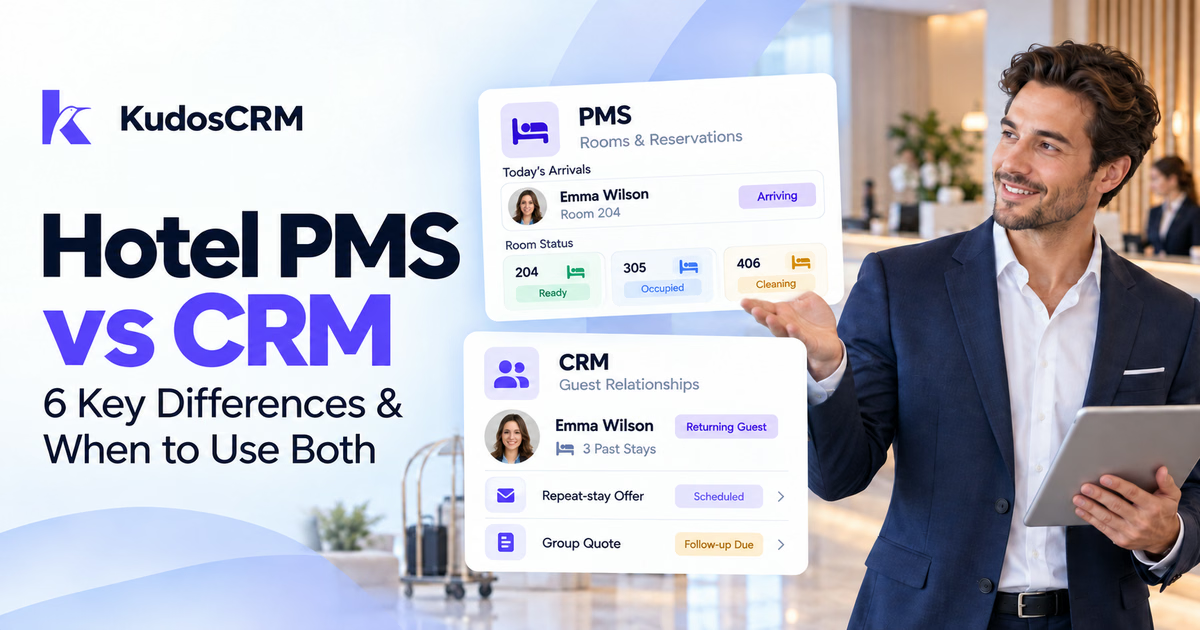

A hotel property management system (PMS) manages reservations, rooms, check-in, billing, and housekeeping. Customer relationship management (CRM) software manages relationships, sales follow-up, and marketing, depending on the product. Hotels may need both when their existing platform cannot handle all these tasks well.
The hotel PMS vs CRM decision starts with the work your team needs to manage. Some PMS suites already offer CRM modules. Others connect to separate sales or guest-marketing tools. Check the available features before adding another system.
Hotel PMS vs CRM: 6 Key Differences
A PMS primarily manages property operations. A CRM primarily manages customer relationships. However, the exact division depends on the products and modules your hotel uses.
Hotel CRMs cover two main needs. A sales CRM manages inquiries, corporate accounts, quotes, and deal follow-up. A guest-marketing CRM groups guests for targeted campaigns and communication around their stays. Some products support both.
Typical roles; features vary by platform, module, and plan.
Comparison | Hotel PMS | Hotel CRM |
|---|---|---|
Primary purpose | Run reservations, rooms, billing, and stay operations. | Manage relationships, sales follow-up, or guest marketing. |
Main records | Reservations, room inventory, folios, guest profiles, and stay history. | Contacts, interactions, sales opportunities, or marketing segments. |
Main users | Front desk, housekeeping, property operations, and revenue teams. | Sales, marketing, and customer relationship teams. |
Guest communication | Operational messages; some suites add marketing modules or connected tools. | Sales follow-up or segmented guest campaigns, depending on the CRM. |
Sales pipeline | Some platforms offer connected sales or event modules. | Sales CRMs track deals, stages, owners, and follow-up. Marketing CRMs may specialize elsewhere. |
Relationship scope | Usually centers on reservations, service, and property operations. | Can span inquiries, repeat stays, corporate accounts, and ongoing engagement. |
What Does a Hotel PMS Manage?
A hotel property management system runs the daily work around reservations and stays. It keeps room availability, guest arrivals, billing, and front-desk activity organized.
Reservations and property operations
Typical PMS functions include room assignments, check-in and checkout, housekeeping status, and folios. A folio records charges and payments for a guest's stay. These records help staff coordinate service and keep accounts accurate.
For example, Oracle OPERA Cloud PMS supports hotel operations, guest profiles, billing, reporting, and mobile access for staff.
Guest profiles and stay history
Modern PMS platforms can retain guest details beyond a single reservation. Oracle's documentation describes guest profiles and preferences, including contact details, loyalty memberships, and shared profiles across properties.
Those records support service and returning guests. However, their presence alone does not explain how well a platform handles sales or marketing. Review its included modules and connected tools.
What Does a Hotel CRM Add?
A CRM adds tools for managing customer relationships beyond daily property operations. The right capabilities depend on whether your hotel needs sales management, guest marketing, or both.
Sales inquiries and account follow-up
A sales CRM tracks opportunities before a booking becomes final. Examples include a corporate room agreement, wedding inquiry, group stay, or event proposal. Each opportunity can have an owner, stage, value, and next action.
A sales pipeline management system helps teams follow those opportunities through the sales process. Once confirmed, reservations and room blocks remain part of the hotel's operational setup.
Guest marketing before and after stays
A guest-marketing CRM helps teams create useful audiences from guest and stay data. For example, a hotel might contact past guests with an offer relevant to their previous visits.
Cloudbeds Guest Marketing CRM documents guest-data cleansing, profile matching, segmentation, and email campaigns connected to PMS data. These are product-specific capabilities. Check the features of each CRM you evaluate.
Guest identity and marketing permissions
Reliable matching needs a stable guest identifier or suitable verified contact details. A booking reference identifies a reservation. It does not reliably identify the same person across separate stays. Also, the booker may differ from the staying guest.
Booking.com's reservation API documentation shows an example relay email address ending in @guest.booking.com. Treat reservation contact details separately from marketing preferences and permission records.
Before promotional outreach, check permission records and opt-out status under the rules that apply to your market. Separate service messages from offers, and keep permission changes current.
When Is a PMS Alone Enough?
A PMS may be enough when its available features meet your hotel's operational and customer-management needs. A small property with simple follow-up may already have the tools it needs.
Room count alone cannot decide this. A boutique hotel with active wedding sales may need a sales CRM. A larger property may already have suitable CRM modules within its hospitality suite.
Before adding another tool, check whether your current setup can:
Store useful guest profiles and recognize returning customers.
Send the service messages and follow-up your team needs.
Track corporate, group, and event inquiries when relevant.
Support your marketing audiences and permission records.
If these tasks work well, focus on using the existing tools consistently. Add another system when you can identify a clear feature gap.
When Do Hotels Benefit From Both?
Hotels benefit from PMS and CRM capabilities together when operations, sales, and guest engagement need more support. Those capabilities may come from one suite or from connected products.
A separate CRM can be useful for:
Corporate accounts, group bookings, weddings, and event inquiries.
Repeat-guest campaigns based on verified stay data.
Customer relationships across several properties or teams.
Follow-up tasks that often disappear into separate inboxes.
A direct-booking strategy with suitable guest-marketing tools.
Direct bookings and channel costs
Cloudbeds' 2026 independent hotel report found that OTAs accounted for 63.4% of bookings in its 2025 dataset. The report analyzed 90 million bookings across 180 countries. This is a reported benchmark, rather than a figure for every hotel.
Mews describes typical OTA commission rates of 15% to 25%. At those rates, a $400 booking carries $60 to $100 in commission. Actual rates vary by agreement, platform, and market.
Direct bookings also involve marketing, payment, and booking-engine costs. Therefore, avoided commission is not the same as extra profit. A CRM may support repeat-booking campaigns, but booking outcomes also depend on your wider strategy.
Compare CRM licenses, connector fees, setup work, and ongoing support against the problems you need to solve. Then compare CRM platforms for hotels around those requirements.
How Does PMS and CRM Integration Work?
PMS and CRM integration transfers selected records and updates between the systems. Reservation data can support follow-up and guest marketing when the connector carries the required fields and events.
Which system should control updates?
Choose which system supplies the final value for each shared field. This prevents conflicting updates and helps teams trust the records they use.
A starting point for planning; confirm responsibilities with both vendors.
Record or field | Usual responsibility |
|---|---|
Reservations, room availability, stay status, and folios | The PMS provides the operational values. |
Sales opportunities, deal stages, and follow-up tasks | The sales CRM manages the sales process. |
Marketing permissions and communication preferences | The agreed record system maintains current values and shares changes where supported. |
What data should sync?
Sync the fields needed for your chosen workflows. Useful fields may include:
Guest identifier: connects records using the agreed matching rules.
Reservation identifier: links each booking and its updates.
Contact and permission records: support the right communication and opt-out handling.
Dates and reservation status: support arrival, departure, change, and cancellation events.
Property and booking source: identify the location and booking channel.
Stay and spend history: support repeat-guest analysis when available.
Relevant preferences: support service and suitable personalization.
Agree on update timing, access permissions, and data retention before connecting the systems. Keep the shared fields limited to the intended use.
Connector, middleware, or custom API?
The best connection method depends on what both vendors support:
Pre-built connector: can reduce setup work when it supports your systems, fields, and workflows.
Middleware: can route and translate data between supported systems.
Custom API integration: offers more control but requires development, testing, and maintenance.
Integration ecosystems show what a platform can connect to. For example, Mews Marketplace integrations number 1,000+. The Cloudbeds open API page lists real-time webhooks and 450+ integration partners.
However, a large marketplace does not confirm a ready-made connection to your chosen CRM. Check the exact connector, supported data, sync direction, and commercial terms.
Example: changes stop the wrong message
Consider this illustrative pre-arrival workflow:
The PMS sends a confirmed reservation and arrival date through a supported connector.
The CRM matches the customer record and schedules the agreed pre-arrival message.
If the booking changes or cancels, the update adjusts or stops that message.
This workflow requires reliable updates and configured rules. Service instructions and promotional offers may require different permissions. Test booking changes, cancellations, duplicate records, and opt-outs before using the flow with guests.
How long does setup take?
There is no universal setup timeline. A supported connector may reduce technical work. A custom connection also needs development and maintenance.
Ask both vendors for an estimate covering field mapping, historical imports, permissions, testing, and staff training. Confirm who monitors failed updates and maintains the connection after launch.
Where Does KudosCRM Fit?
KudosCRM can support customer records, sales pipelines, and follow-up for hospitality teams. It does not replace room inventory, front-desk operations, housekeeping, or guest folios.
Its CRM for travel and hospitality page describes inquiries, quotes, conversations, custom fields, pipelines, and follow-up. Hotels can evaluate those capabilities for corporate accounts, group inquiries, and other sales work.
Teams can use email sequences for structured follow-up. They can also use workflow automation to create tasks, send emails, and manage configured actions. Stay-based messages require the relevant reservation data and supported triggers.
Additionally, the KudosCRM integrations page lists Gmail, Outlook, Slack, Google Calendar, Zoom, and Chatra as live. It also lists inbound event sources and outbound webhooks.
The Developer API and Zapier integration are marked as coming soon. Confirm the available PMS data flows with KudosCRM before planning reservation-based automation. A general integration capability does not establish a specific native PMS connector.
Which Setup Should Your Hotel Choose?
Choose the setup that fills a clear gap in your current operations. Keep your PMS as the operational foundation. Then assess the sales and guest-marketing capabilities available within its suite or through connected products.
For corporate and event inquiries, prioritize account records, deal stages, and follow-up. For repeat-guest campaigns, prioritize stay data, segmentation, permissions, and reliable campaign triggers. Confirm the required integration before committing to a tool.