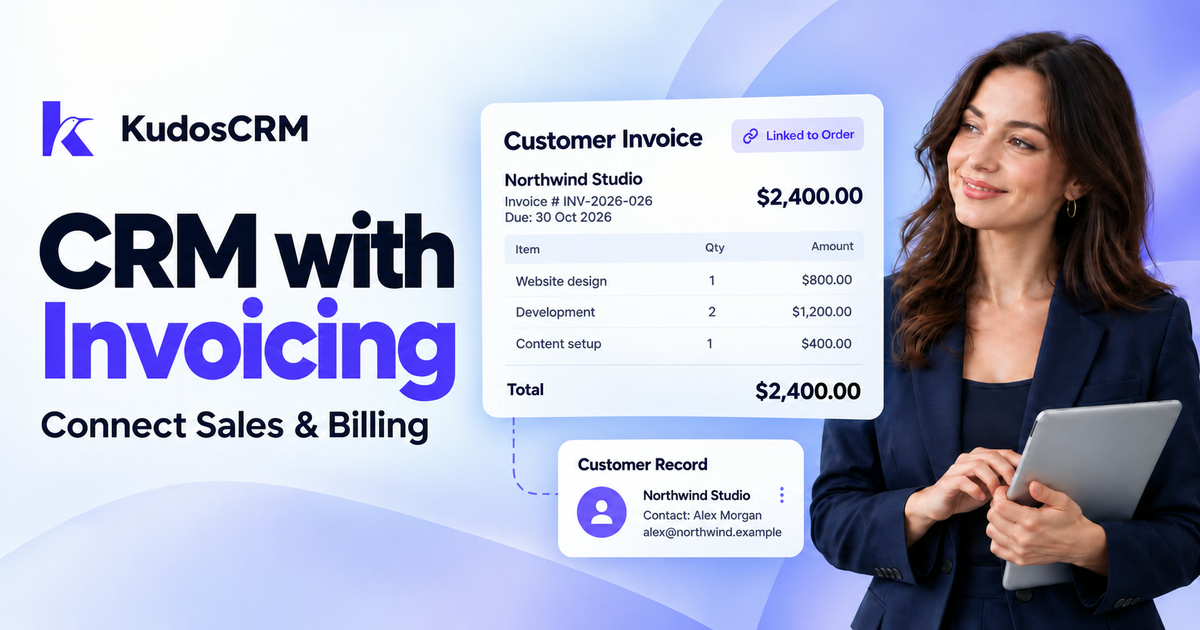

A customer accepts your proposal, but finance still needs the agreed price, billing contact, and payment terms. Your sales team searches through emails. Someone copies the details into another tool. The work is ready to start, yet the invoice remains a separate task.
CRM with invoicing brings that handoff closer to the customer record. It connects the relationship, agreed order, invoice, and payment status. Your team can check what was sold and what is outstanding without rebuilding the same customer information.
However, an invoice module can mean different things across products. Some tools create billing records. Others send documents, collect payments, or connect to accounting software. Understanding those differences helps you choose a setup that fits your business.
Key Highlights
A CRM with invoicing connects customer and sales records to billing information.
Built-in invoices and accounting integrations serve different workflows; check the capabilities of each.
Invoice creation, invoice delivery, and payment collection are separate features.
Test your billing process with a realistic customer order before choosing a plan.
KudosCRM supports order-based invoice records; several delivery and payment features remain on its roadmap.
What is CRM with invoicing?
CRM with invoicing combines customer relationship management with tools for creating or managing invoices. Depending on the platform, it may carry agreed sales information into an invoice, display due dates, record payments, or sync billing data with another system.
The useful connection is the customer record. Sales can see the commercial agreement. Finance can check the customer being billed. An account manager can understand the payment position before arranging the next piece of work.
A CRM invoice module does not automatically provide full accounting. Review the functions included in your chosen product, especially when you need bookkeeping, bank reconciliation, financial statements, or local reporting.
Record | Purpose |
|---|---|
Quote | Sets out proposed goods or services, prices, and terms. |
Order | Records the confirmed goods or services your customer agreed to buy. |
Invoice | Records the amount billed and the payment terms. |
Payment record | Records money received or the payment status associated with the invoice. |
Keeping these records linked gives the team context for each bill. It also makes it easier to trace a pricing question back to the agreement that produced the invoice.
Built-in invoicing or an accounting integration?
Built-in invoicing keeps the billing workflow within the CRM. An accounting integration connects the CRM to a separate finance application. Neither approach is automatically better; the right choice depends on your existing systems and billing requirements.
A native module can suit a team that wants customer-linked invoices and a simple view of outstanding amounts. An integration may suit a business whose finance team already relies on a dedicated accounting system.
What to compare | Built-in invoicing | Accounting integration |
|---|---|---|
Where invoices live | Within the CRM’s invoice module. | Usually in the connected finance system, with selected details available in the CRM. |
Customer information | Uses CRM customer records. | Requires a reliable connection between customer records in both systems. |
Team workflow | Sales and billing can share one workspace. | Sales and finance may work in different tools. |
Capabilities | Depends on the native module and plan. | Depends on both products and the connector. |
Checks before buying | Documents, payments, exports, and billing limits. | Sync direction, field mapping, access, and additional costs. |
For an integration, ask which system creates the invoice and which one can change it. Confirm how payment updates return to the CRM. A connector that only copies customer names will not solve an invoice-status handoff.
Which businesses benefit from CRM invoicing?
CRM and invoicing software is useful when the customer relationship continues beyond a sale. It gives teams a practical connection between the agreement, the work, and the amount being billed.
Consultants and professional service firms
A consultant may need to connect a proposal, a confirmed engagement, and a project fee. Customer-linked billing helps the account owner find the agreed scope when a client questions an invoice. Check milestone, deposit, and time-based billing separately.
Marketing agencies and creative studios
Agencies often move from a proposal into delivery and later follow-up work. Billing context can help account managers coordinate with finance. Teams that depend on monthly retainers should verify recurring invoicing and payment collection rather than assume those features are included.
Small B2B sales teams
Businesses selling products or defined service packages can benefit from using confirmed order details as the billing starting point. This is particularly useful when the person closing the deal is different from the person preparing the invoice.
What features should a CRM with invoicing include?
Choose features around the work your team actually performs. The following checks help you assess the entire process rather than focus only on a polished invoice template.
1. Customer-linked invoice records
Confirm that an invoice connects to the correct contact or company. Look for a clear route from the customer record to its billing history. Sales and account managers should be able to find the information their permissions allow.
2. Agreed line items and pricing
Test quantities, unit prices, discounts, and the tax fields your business uses. Check whether order information carries into the invoice or needs manual entry. Also ask how the system handles later changes to catalog prices.
3. Clear dates and statuses
Check issue dates, payment terms, due dates, and unpaid status. Make sure the labels are understandable to your team. A draft invoice and an invoice awaiting payment represent different stages of the process.
4. Document delivery
Confirm whether the product sends invoices, generates downloadable files, or only stores internal records. Ask to see the customer-facing output. Branded quote delivery does not prove that the same delivery options exist for invoices.
5. Payment recording and collection
Recording a payment manually is different from collecting money through an online payment page. Check supported payment methods, processing fees, and regional availability when online collection is important to your business.
6. Automation and ownership
Look for events that fit your billing process, such as a confirmed order or a completed milestone. Define who reviews the draft and handles follow-ups. CRM workflow automation should support a clear process rather than remove necessary checks.
7. Permissions and correction controls
Identify who can draft, edit, issue, cancel, or mark an invoice paid. Ask how corrections remain traceable. The team should understand what happens when a billing error appears after an invoice has been issued.
8. Exports and accounting connections
Confirm that finance can obtain the records it needs. Review export fields and connector behavior using sample data. If your billing involves deposits, partial payments, multiple currencies, or recurring charges, test each requirement explicitly.
How does the sales-to-invoice workflow work?
A dependable workflow starts with agreed commercial details and ends with an accurate payment record. The exact steps vary by platform, but the handoff should remain clear at every stage.
Step 1: Capture the billing contact
Record the customer’s company, billing contact, and relevant payment details alongside the opportunity. Confirm whether the invoice should go to the buyer or another person in finance. Finding that out before issuing the bill avoids unnecessary resending.
Step 2: Agree the quote and payment terms
Use the accepted quote to establish what the customer is buying and when payment is expected. Sales quoting tools can help keep scope, quantities, and approved prices together. Review any changes before the agreement becomes an order.
Step 3: Confirm the order
Turn the accepted agreement into the appropriate order record. Check the relationship to the customer and the products or services being supplied. Customer order records give billing a structured starting point instead of an informal handoff message.
Step 4: Create and review the invoice
Prepare the invoice using the confirmed information. Review line items, currency, totals, invoice number, and due date before delivery. Where the product creates a draft automatically, assign a person to check it rather than assume automation makes every bill correct.
Step 5: Deliver and track the bill
Send the invoice through a supported delivery method and record the next action. Keep draft, issued, and overdue records distinguishable. Stripe’s invoice lifecycle documentation illustrates why creating an invoice and making it ready for payment are separate stages.
Step 6: Record payment and close the follow-up
Update the invoice when payment has been confirmed. If payment occurs outside the CRM, agree how finance communicates that update. Close any outstanding follow-up task so another team member does not contact a customer whose payment has already arrived.
What does this look like for a service business?
Consider a small design agency selling a $2,400 website package. The customer accepts the quote, and the team confirms the order. Finance then prepares an invoice linked to that customer. This is an illustrative workflow, not a vendor pricing example.
Stage | Information the team should preserve |
|---|---|
Quote accepted | Website package, $2,400 agreed price, and payment terms. |
Order confirmed | The accepted scope, customer, and person responsible for delivery. |
Invoice prepared | Bill number, invoice amount, billing contact, and due date. |
Payment received | Confirmed payment status and any remaining balance. |
Suppose the customer asks why the invoice contains a particular service. The account manager can refer to the accepted scope instead of searching for the original email. If the amount is overdue, finance and the account owner can agree who should contact the customer.
For milestone billing, confirm how your chosen product structures the orders and invoices involved. Do not assume every CRM permits several invoices against one order, partial payments, or automatic billing when a project task is completed.
How should you set up CRM invoicing?
Start with one common billing scenario and a small group of users. Establish the process before connecting every customer record or enabling broader automation.
Define the billing owner, reviewer, and person responsible for customer follow-ups.
Check customer names, billing contacts, and duplicate records before importing data.
Agree the information that moves from the quote into the order and invoice.
Test a normal invoice, a correction, an overdue bill, and a confirmed payment.
Confirm how finance exports records or reconciles them with its existing system.
Use the test to identify gaps. An unclear owner, missing billing email, or incomplete payment update can remain a problem even when the software works correctly. Document how the team handles exceptions before expanding the process.
How does invoicing work in KudosCRM?
KudosCRM invoicing creates numbered drafts from confirmed orders and links each invoice to the customer’s contact and company. It carries over order information and tracks due, overdue, and paid records. Its current documentation also describes workflow-created invoice drafts.
The invoicing page states that an order produces one invoice, and drafting again returns the existing invoice. Teams should check that structure against any requirement for multiple bills against the same order.
Several capabilities remain on the roadmap: branded PDF invoice emailing, customer payment links, recurring billing, and online payment capture through Stripe. Accounting integrations with QuickBooks and Xero are also listed as roadmap items. Keep those limits in the evaluation when your business depends on automated collection.
Check the KudosCRM plan comparison for current access and limits before selecting a subscription. A product feature page describes functionality; the plan comparison helps establish what your chosen subscription includes.
How much does CRM and invoicing software cost?
The total depends on users, the required CRM tier, invoice features, connectors, and any separate billing subscription. Online payment processing and implementation may add further costs. Compare the complete setup your team needs.
For example, a hypothetical CRM charging $15 per user each month costs $75 for five users. Adding a hypothetical $30 monthly billing subscription brings the combined amount to $105 per month, or $1,260 per year before taxes and other charges.
Those figures illustrate the calculation; they are not current vendor prices. Ask for the plan that supports your actual workflow and confirm any annual commitment. Our CRM pricing guide explains how to assess seats, add-ons, and broader ownership costs.
How do you choose the right CRM with invoicing?
Choose the setup that handles your real billing process with the fewest unresolved handoffs. Begin with the problem you need to solve: missing order details, disconnected customer records, delayed invoice preparation, or unclear payment status.
Then ask the vendor to demonstrate one complete transaction. Follow the customer from the accepted agreement to the invoice and payment update. Check who can perform each action and how corrections work. Include your finance team in that demonstration.
If your accounting system already meets your needs, assess whether a reliable CRM connection is enough. If you need customer-linked invoice records in one workspace, evaluate the native module. In either case, separate available features from future plans.