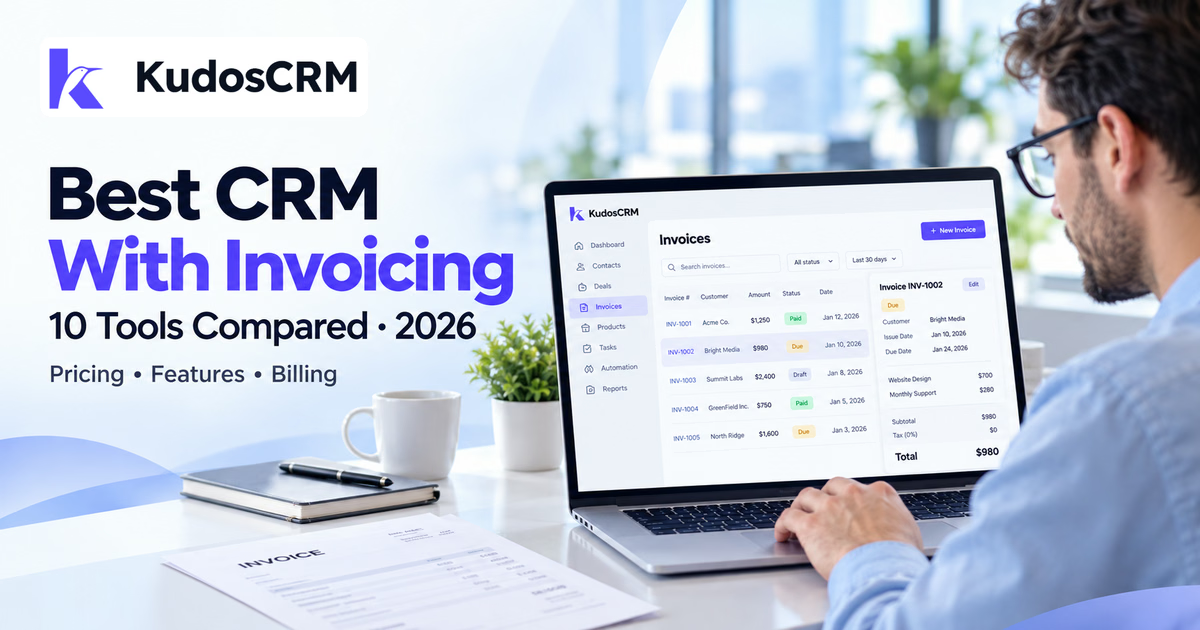

The best CRM with invoicing depends on how you bill. HubSpot offers free invoice creation. HoneyBook, Bonsai, and Dubsado combine client billing with payment options. KudosCRM supports invoice drafting from confirmed orders, while online payment collection and recurring billing remain planned.
Those differences affect both your workflow and your budget. A low-priced CRM plan may exclude invoicing, while a payment button may only link to another service. Check the required subscription and collection process together.
These ten options cover sales CRMs, client-management platforms, and broader business suites. Each has a clear use case, published pricing, and limitations to consider before you choose.
CRM with invoicing compared: pricing and features
Compare the plan and billing capability together. The configurations below serve different needs, so their prices represent useful starting points rather than equivalent packages for every business.
Platform and fit | Plan and published price | Invoicing features | Important limit |
|---|---|---|---|
KudosCRM – Order-linked invoice creation and tracking | Basic: $9/user/month billed annually; $12 on monthly billing | Drafts from confirmed orders; numbered, frozen invoice records; due, overdue, and paid tracking | Invoice email/PDF delivery, online collection, recurring billing, and accounting sync are planned. |
HubSpot – CRM-connected invoices with a free starting point | Invoice creation: $0 for free and paid users; payment fees and other subscriptions may apply | Invoices from deals or quotes; online payment options; connected customer and invoice records | Processor eligibility, payment fees, automation access, and regional requirements need checking. |
Zoho CRM – Sales processes with quotes, orders, and invoices | Professional: $23/user/month billed annually | Invoice and sales-order modules; customer and product records; sales workflows and process controls | The CRM invoice module and a full finance or subscription-billing application have different functions. |
monday CRM – Teams organizing commercial documents on boards | Basic: $12/seat/month billed annually; minimum 3 users | CRM data in invoice templates; PDF document generation; payment button for an external platform | Basic lists 20 quotes and invoices per month. A payment link does not establish automatic reconciliation. |
HoneyBook – Service businesses managing the client booking process | Starter: $29/month billed annually; account subscription | Invoices, proposals, and contracts; payment schedules and recurring invoices; client portal and online payments | Workflow automations and QuickBooks Online integration are on Essentials. Country eligibility applies. |
Bonsai – Client work billed by project, time, or retainer | Essentials: $19/user/month billed annually; $25 on monthly billing | Invoices from time and expenses; recurring client billing; online payment options | Essentials is the published invoicing tier. Budget per user and check payment-processing conditions. |
Dubsado – Service businesses managing forms, contracts, and billing | Starter: $335/year or $35/month on monthly billing | Invoices and payment plans; recurring invoices with autopay; forms, contracts, and client portals | Automated Flows and scheduling require Premier. Confirm processor availability and fees. |
Keap – Businesses combining follow-up, billing, and automation | From $249/month equivalent; $2,988 billed annually for 2 users and 1,500 contacts | Quotes converted into invoices; one-time and recurring billing; sales and customer follow-up automation | Required implementation services, contact tiers, extra users, and processing fees affect the total. |
Bitrix24 – Teams wanting CRM, collaboration, and invoice documents | Standard: $99/organization/month billed annually; includes 50 users | Invoices based on CRM records; document templates; CRM and team collaboration | Standard explicitly lists invoices and estimates. Check payment apps and feature availability. |
Odoo – Businesses needing connected sales and finance applications | Standard UK example: £18/user/month introductory annual rate; £22 reference annual rate | CRM and sales applications; invoicing and accounting apps; online payments and invoice follow-up | Introductory discount lasts 12 months for initial users. Implementation and Custom-plan needs can add cost. |
How we compared these CRM invoicing tools
We reviewed official pricing pages, feature descriptions, and help documentation. We considered invoice creation, customer payment options, recurring billing, accounting connections, user access, and the subscription needed for the described workflow.
This documentation-based shortlist organizes products by use case. The recommendations reflect published capabilities and practical business requirements. Validate your required process with a trial, demonstration, or supported payment test.
1. KudosCRM: for invoices linked to confirmed orders
KudosCRM is a candidate when your main requirement is creating invoice records from agreed orders. Its native invoicing features keep the bill connected to the customer and the work already sold.
This approach suits service teams that want sales and finance to reference the same amounts. Evaluate it for order-linked drafting and tracking, especially when a separate process already handles customer delivery and payment collection.
Key invoicing features
Order-based drafting: copy agreed line items and totals into a numbered invoice.
Stable billing records: preserve a snapshot so later catalog edits do not change earlier invoices.
Billing visibility: track due and overdue balances, draft through workflow rules, and mark payments manually.
Pricing: Basic costs $9 per user/month with annual billing, or $12 on monthly billing. The published Basic feature list includes invoicing. Confirm workspace permissions and the limits of your selected plan.
Current limitation: invoice email/PDF delivery, customer payment links, Stripe capture, and recurring billing are on the roadmap. QuickBooks and Xero sync are also planned. Choose another listed option if those functions are essential today.
2. HubSpot: for free CRM invoice creation and payment options
HubSpot offers a CRM with invoicing for teams that want bills connected to contacts and deals. Its invoice feature is available to free and paid users, making it a useful starting point for small teams.
The strongest fit is a business already managing its sales activity in HubSpot. Customer details and line items can flow into the invoice, while finance can evaluate accounting sync alongside the native invoice workflow.
Key invoicing features
Connected creation: create invoices from deal records, published quotes, or the invoice workspace.
Payment choice: collect through an eligible HubSpot payments or Stripe setup, or record external payments.
Accounting handoff: evaluate supported integrations for moving invoice and payment information between systems.
Pricing: Invoice creation is free. This does not make every sales, automation, or payment capability free. Include processing charges, applicable platform fees, and any paid subscription required for your workflow.
What to check: verify your business country, processor eligibility, and the features available on your chosen subscription. Build a configured quote if you also need advanced sales automation or quoting.
3. Zoho CRM: for sales teams that need invoice records
For sales teams choosing a CRM with invoicing, Zoho Professional combines customer management with quotes, sales orders, and invoice records. Professional is the relevant starting edition for this comparison because it includes the inventory-related modules.
This is useful when invoicing follows a defined sales process with product details and order information. However, identify whether you need CRM invoice records, online collection, recurring billing, or a wider finance application before choosing the subscription.
Key invoicing features
Commercial records: work with quotes, sales orders, and invoices from Professional upward.
Shared sales data: manage customer, product, and opportunity information within the CRM.
Process controls: use Professional capabilities such as Blueprint to structure how work moves forward.
Pricing: Professional is $23 per user/month, billed annually. Standard has a lower seat price, but it is not the invoice-module configuration reviewed here.
What to check: establish how your chosen Zoho setup handles payment collection and recurring charges. If you need additional finance applications or a bundle, price that configuration separately from the CRM seat.
4. monday CRM: for quotes and invoices on visual boards
monday CRM provides a visual CRM with invoicing alongside sales boards. Its Quotes & Invoices feature pulls customer, product, and service information from the CRM into financial documents.
The practical benefit is keeping document creation near the sales process. Test how the invoice appears, where the payment button sends the customer, and how your team updates the paid status afterward.
Key invoicing features
Reusable templates: create documents using information from existing CRM boards.
Document output: preview the invoice and download it as a PDF.
Payment links: add a button pointing to your preferred payment platform.
Pricing: Basic is $12 per seat/month with annual billing, with a three-user minimum. That is at least $432 annually. Basic lists 20 quotes and invoices per month; Standard lists 50 and Pro lists 250.
What to check: verify document volume, automation allowances, and your payment process. The documented payment button is a link; confirm any separate integration needed for automatic payment-status updates or recurring collection.
5. HoneyBook: for client bookings, invoices, and payments
Consider HoneyBook if your CRM with invoicing needs to cover client bookings, contracts, and payments. Its client-management approach can suit photographers, event professionals, consultants, and similar businesses with a booking process.
It is especially relevant when the client experience matters as much as sales reporting. Evaluate the journey from receiving a proposal to signing, paying a deposit, and accessing project information.
Key invoicing features
Connected client files: bring contracts, proposals, invoices, and payments into the booking workflow.
Flexible billing: use one-time, recurring, or custom invoice schedules.
Autopay: collect scheduled payments after the required customer authorization and setup.
Pricing: Starter is $29 per month, billed annually. Essentials is $49 per month annually and adds workflow automations, scheduling, and QuickBooks Online integration.
What to check: HoneyBook currently lists business availability in the US, Canada, UK, and Australia. Confirm local payment options and processing fees. Choose the plan around your team access and automation requirements.
6. Bonsai: for billing tracked time and project expenses
Bonsai is worth shortlisting when invoicing depends on the work your team records. It connects client management, projects, tracked time, and expenses, helping service businesses build invoices from billable activity.
This can suit consultants and agencies that charge for time or manage ongoing retainers. Test whether the invoice captures the right work and whether your team can review it before the client receives it.
Key invoicing features
Time and expense billing: turn recorded billable work and project expenses into invoice items.
Recurring billing: configure ongoing invoices and payments for suitable retainer arrangements.
Payment collection: offer supported online methods, including card and bank-payment options.
Pricing: Essentials is $19 per user/month with annual billing, or $25 per user/month on monthly billing. It is the published tier that adds Invoices & Payments to Basic.
What to check: calculate the subscription for every required user. Verify supported payment methods, business-country eligibility, fees, and the setup needed for recurring collection.
7. Dubsado: for recurring invoices and client workflows
Dubsado suits service businesses that want billing alongside forms, contracts, and client portals. Its Starter plan includes recurring invoices with autopay, making it a relevant option for teams managing repeated client charges.
The main plan decision concerns broader workflow automation. A recurring invoice can be available even when the system that automatically moves the whole client project through different stages requires an upgrade.
Key invoicing features
Billing schedules: manage invoices, payment plans, automated reminders, and autopay.
Recurring invoices: set up repeated billing with the available autopay functionality.
Client administration: keep forms, contracts, project information, and portal access together.
Pricing: Starter costs $335 per year or $35 per month. Premier costs $525 per year or $55 per month and adds tools such as Flows and the scheduler. Starter includes up to three additional users.
What to check: choose Premier if your process depends on automated Flows or scheduling. Confirm payment-processor setup and charges before treating the subscription as the complete cost of collecting money.
8. Keap: for connecting invoicing with sales automation
Keap is a candidate if you want a CRM with invoicing and broader sales automation. It combines customer records, automation, quotes, invoices, and payment tools for businesses managing ongoing customer activity.
Compare it when your team expects to use the wider automation platform. A business needing only a few invoices should assess whether the additional capabilities justify the configured subscription and implementation requirements.
Key invoicing features
Quote conversion: turn accepted commercial details into an invoice.
Billing options: send one-time or recurring invoices and manage recurring payments.
Connected follow-up: use customer information and automation to organize the sales process around billing.
Pricing: The entry configuration is $2,988 per year, equivalent to $249 per month, for two users and 1,500 contacts. Monthly billing starts at $299. Request a quote including required implementation services and any larger contact allowance.
What to check: include payment-processing charges and additional-user costs. Keap states that its free trial cannot process payments, so arrange an appropriate demonstration before relying on a trial to validate collection.
9. Bitrix24: for a shared CRM and invoicing workspace
Bitrix24 is worth comparing when several employees need access to customer information and invoice work. Its organization-based plans differ from tools that multiply the subscription directly by every CRM user.
An invoice can be created from a deal, company, contact, or other supported CRM item. The document workflow can help teams reuse existing customer details while keeping responsibility for the invoice inside the CRM.
Key invoicing features
CRM-based invoices: create invoice records using information already stored against the customer or deal.
Document templates: generate the document you send to the client from a standard or custom template.
Shared workspace: combine customer work with the collaboration tools included in the selected plan.
Pricing: Standard is $99 per organization/month with annual billing and includes 50 users. Its monthly-billing rate is $144. This is the selected configuration because the pricing page explicitly lists invoices and estimates on Standard.
What to check: confirm which invoice, automation, and payment functions your account includes. Payment providers or marketplace apps can have their own availability conditions and charges. Check recurring-invoice support separately if it is essential.
10. Odoo: for CRM, invoicing, and accounting in one suite
Odoo is worth comparing when you need a CRM with invoicing and wider business applications. Its Standard all-app plan brings CRM, sales, invoicing, accounting, inventory, and other operational tools into the same suite.
This can suit a business connecting sales with wider financial or operational work. However, define the apps and accounting configuration you need before comparing it with a simpler client-management subscription.
Key invoicing features
Sales-to-invoice flow: connect sales orders with customer invoices.
Collection tools: use supported online payments, due-date tracking, and follow-up reminders.
Wider finance scope: combine invoicing with accounting and other included business apps.
Pricing: Odoo localizes pricing. The UK Standard example is £18 per user/month with annual billing, against a £22 reference annual rate. The displayed introductory discount applies for 12 months to initial users. Obtain the rate for your billing country.
What to check: assess implementation effort, renewal pricing, and any Custom-plan requirement. Multi-company operation, external API access, and certain customization needs belong to Custom. Confirm whether One App Free covers the apps your workflow requires.
What should you check in CRM and invoicing software?
Check invoice creation, payment collection, recurring billing, and accounting sync as separate capabilities. Confirm each one on the plan you intend to buy.
Where is the invoice created and managed?
A native invoice record lives in the CRM or its connected suite. With an accounting integration, some or all invoice work happens in another application. Either approach can reduce re-entry when the data flow is configured well.
Test which system owns the invoice number, line items, edits, and payment status. Our guide to invoicing from the CRM explains the value of generating invoice records from agreed order data.
What happens when the customer pays?
Ask whether the invoice opens a payment checkout, links to another service, or requires a manual payment record. Then check how the CRM learns that the bill is paid. A clickable payment link does not establish automatic reconciliation.
Also distinguish the processor from the payment method. Stripe is a processing platform; cards and ACH direct debit are payment methods. Availability, customer authorization, fees, and settlement conditions depend on the setup.
Does recurring billing include collection?
A scheduled invoice repeats the request for payment. Automatic collection also needs a supported payment method and customer authorization. Test failed payments, cancellations, changes in amount, and the notifications your team receives.
What is the full subscription and setup cost?
Count required seats, invoice allowances, contact tiers, paid finance apps, processor charges, and implementation. Then check renewal terms and introductory discounts. Our CRM pricing guide explains common subscription cost components.
Which CRM with invoicing should you choose?
Choose the shortlist that matches your main billing task, then test the same customer and invoice in each product.
For invoice records linked to confirmed orders: evaluate KudosCRM's current drafting and tracking workflow.
For client booking and ongoing service billing: compare HoneyBook, Bonsai, and Dubsado, including their payment and automation requirements.
For sales-driven customer management: compare HubSpot, Zoho CRM, monday CRM, Keap, and Bitrix24 using the appropriate plan.
For a wider business suite: assess Odoo when CRM, accounting, invoicing, and other operational apps need to work together.
Run one realistic test: create the customer, prepare the invoice, apply tax and payment terms, send it where supported, and verify the payment status. If a trial cannot process payments, request a demonstration of that part.
How much manual invoice entry could you remove?
Measure your current work before estimating savings. A CRM with invoicing can reduce duplicate entry, but a well-configured accounting connection may already remove much of that work.
Illustrative example: 50 invoices per month requiring eight minutes of re-entry each total 80 hours annually. At an assumed $35 hourly cost, that represents $2,800 in annual labor. These are example inputs, not industry averages or guaranteed savings.
Record the time your team actually spends, then subtract the work that remains after switching. Compare the resulting benefit with software, setup, integration, and payment costs. Include the effort needed to correct mistakes without assuming an unsupported universal error rate.